
Procore
Uploaden (v) / upload (n) de voltooid Mitti - inspectierapporten naar het juiste Procore project en bewaar de projectgegevens op één centrale plek.
Beschrijving
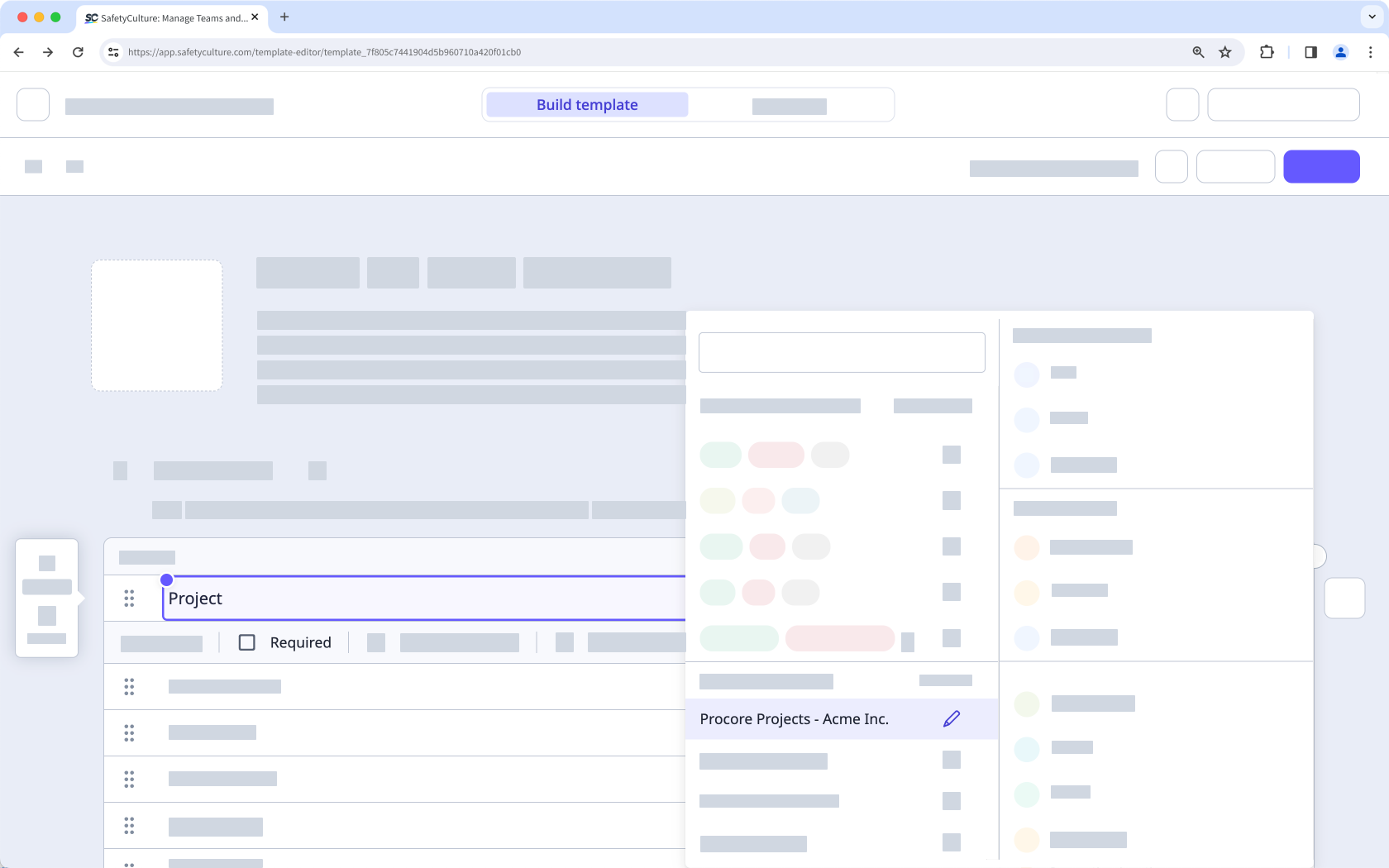
Koppel Mitti aan Procore om voltooid inspectie automatisch als pdf's Uploaden (v) / upload (n) naar het juiste Procore -project. Gebruik een algemene antwoordreeks Procore -projecten in uw sjablonen, zodat inspecteurs het relevante project kunnen selecteren tijdens het uitvoeren van een inspectie.
Hoe het werkt
- Mitti synchroniseert je Procore -projecten in een globale antwoordreeks genaamd Procore Projects.
- Wanneer een inspectie is voltooid en een reactie uit de Procore Projects Global Antwoordreeks bevat, uploadt Mitti het inspectie Rapport (n) / rapporteren (v) pdf naar de Tool van het geselecteerde project.
- Procore maakt een Map genaamd Mitti Inspections aan, zodat teams geüploade rapporten snel kunnen vinden. Als u al iAuditor Inspections had van oudere configuraties, kan Procore die Map blijven gebruiken.
📘 Deze integratie uploadt alleen inspecties die u na de installatie voltooien/voltooid . Inspecties die vóór de koppeling met de integratie voltooid , worden niet Uploaden (v) / upload (n) .
✔️ Mitti Premium-abonnement of Enterprise-abonnement
✔️ mitti .com/000073/" target="_blank">"Platformbeheer: Organisatie" machtiging
✔️ mitti .com/001741/" target="_blank">Volledige licentie/s
✔️ Procore Account met de beheerdersrechten op bedrijfsniveau die machtiging Beheerder op procore.com/products/online/user-guide/company-level/permissions" target="_blank">procore.com/products/online/user-guide/company-level/permissions".
✔️ mitti.com/000137/" target="_blank">" Uitvoeren, bewerken" sjabloon Toegangsniveau minimaal
✔️ mitti .com/001128/" target="_blank"> Cookies van derden ingeschakeld
Vereisten
✔️ Mitti Premium-abonnement of Enterprise-abonnement
✔️ mitti .com/000073/" target="_blank">"Platformbeheer: Organisatie" machtiging
✔️ mitti .com/001741/" target="_blank">Volledige licentie/s
✔️ Procore Account met de beheerdersrechten op bedrijfsniveau die machtiging Beheerder op procore.com/products/online/user-guide/company-level/permissions" target="_blank">procore.com/products/online/user-guide/company-level/permissions".
✔️ mitti.com/000137/" target="_blank">" Uitvoeren, bewerken" sjabloon Toegangsniveau minimaal
✔️ mitti .com/001128/" target="_blank"> Cookies van derden ingeschakeld
Schermafbeeldingen
FAQ
In November 2022, we renamed "iAuditor" as "SafetyCulture". As part of this rename, we also updated the various references of "iAuditor" including the Procore integration, so that any new setups will use "SafetyCulture Inspections" instead. However, to minimize disruption to existing setups, we decided to continue exporting inspection reports to your existing "iAuditor Inspections" folders.
If you want to align the name of your folders for consistency, you can rename your "iAuditor Inspections" folders as "SafetyCulture Inspections".
If you get a connection error while installing the integration, it's likely because your browser is blocking third-party cookies on Mitti websites. To fix this, we recommend that you turn on third-party cookies in your browser settings and try installing the integration again.