
Procore
Importer les rapports Inspection Mitti terminé dans le projet Procore approprié et centralisez les dossiers de chantier.
Description
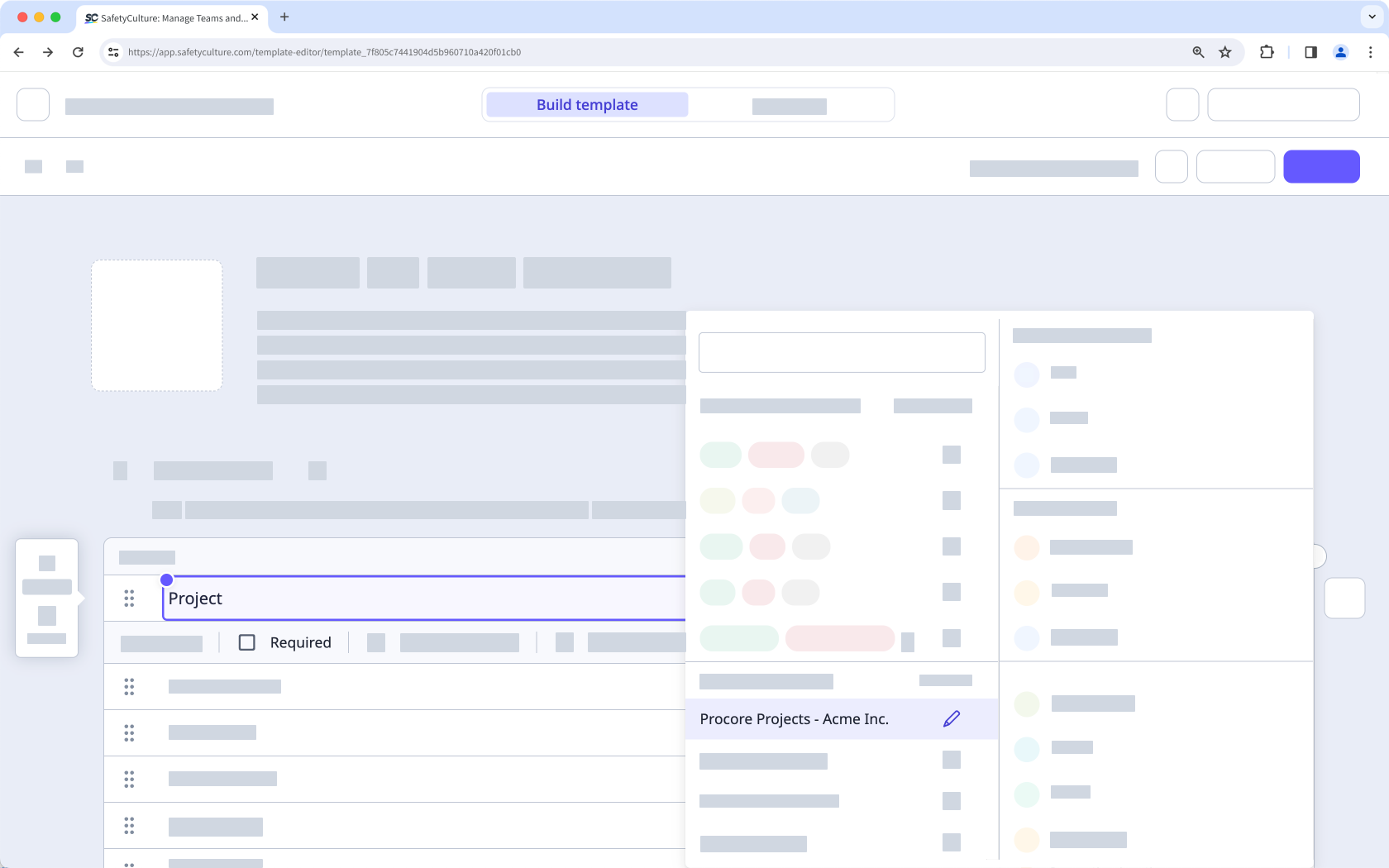
Connectez Mitti à Procore pour Importer automatiquement les rapports Inspection terminé au format PDF dans le projet Procore correspondant. Utilisez un jeu de réponses global Procore Projects dans vos modèles afin que les inspecteurs puissent sélectionner le projet pertinent lors de leur Inspection.
Comment ça marche
- Mitti synchronise vos projets Procore dans un jeu de réponses global appelé Projets Procore .
- Une fois l' Inspection terminé et incluant une réponse de l' jeu de réponses global de Procore Projects, Mitti télécharge le rapport/signaler Inspection au format PDF dans l' Outil Documents du projet sélectionné.
- Procore crée un Dossier Mitti Inspections » pour que les équipes puissent trouver rapidement les rapports téléchargés. Si vous aviez déjà des rapports d'inspection iAuditor provenant d'anciennes configurations, Procore peut continuer à utiliser ce Dossier.
📘 Cette intégration ne télécharge que les inspections terminer / terminée après sa configuration. Elle ne Importer pas les inspections terminé avant sa connexion.
✔️ Mitti Offre Premium ou Offre Enterprise
✔️ mitti.com/000073/" target="_blank">"Gestion de la plateforme : autorisation de organisation "
✔️ mitti .com/001741/" target="_blank"> Licences entière
✔️ Compte Procore avec l' autorisation Administrateur au niveau de l'entreprise (procore.com/products/online/user-guide/company-level/permissions)
✔️ mitti.com/000137/" target="_blank">" Effectuer, conduire, modifier" Niveau d'accès au modèle au minimum
✔️ mitti .com/001128/" target="_blank"> Cookies activé
Exigences
✔️ Mitti Offre Premium ou Offre Enterprise
✔️ mitti.com/000073/" target="_blank">"Gestion de la plateforme : autorisation de organisation "
✔️ mitti .com/001741/" target="_blank"> Licences entière
✔️ Compte Procore avec l' autorisation Administrateur au niveau de l'entreprise (procore.com/products/online/user-guide/company-level/permissions)
✔️ mitti.com/000137/" target="_blank">" Effectuer, conduire, modifier" Niveau d'accès au modèle au minimum
✔️ mitti .com/001128/" target="_blank"> Cookies activé
Captures d'écran
FAQ
In November 2022, we renamed "iAuditor" as "SafetyCulture". As part of this rename, we also updated the various references of "iAuditor" including the Procore integration, so that any new setups will use "SafetyCulture Inspections" instead. However, to minimize disruption to existing setups, we decided to continue exporting inspection reports to your existing "iAuditor Inspections" folders.
If you want to align the name of your folders for consistency, you can rename your "iAuditor Inspections" folders as "SafetyCulture Inspections".
If you get a connection error while installing the integration, it's likely because your browser is blocking third-party cookies on Mitti websites. To fix this, we recommend that you turn on third-party cookies in your browser settings and try installing the integration again.